Marketing Reporting and Analytics app
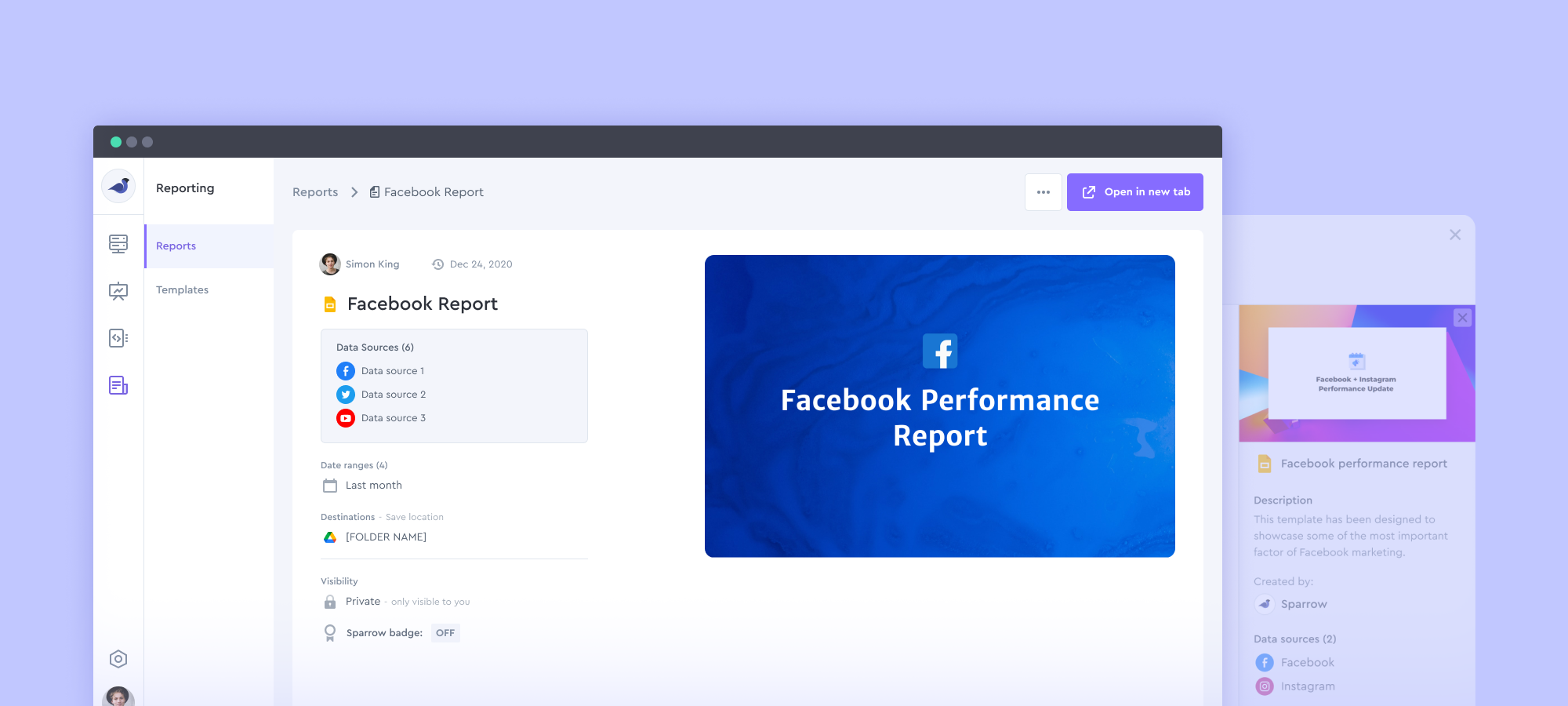
Designed a reporting tool for a marketing analytics SaaS app to help digital marketers get access to automated report builder right into their Google Docs/Slides.
Summary
Sparrow had a very basic marketing reporting tool to automate digital marketers' workflows. It was working with very few non-customizable templates. There were many spotted issues, customizations and template requests, and room for grow.
I was being responsible for redesigning the user experience.
My role and team
My role: UX, UI Design
Product manager: Braden Ericson (Founder)
Developers: Shubham Shukla, Rahul Srivastava, Awadhesh Chaurasia, Luv Gupta
Intro
At Sparrow, we’ve always been on a mission to solve problems for digital marketers and agencies. From shipping data visualization & analytics dashboards to embeddable charts and a reporting tool to simplify their workflow.
Main Problem
Digital marketers need to create reports at the end of each specific period of marketing effort. Reports can be weekly, monthly, quarterly, or even yearly.
In order to create a report, a digital marketer needs to go through a very frustrating and time-consuming process to login into each marketing account, compile data, place it into the report, and also make sure the report’s template is appealing and well-designed.
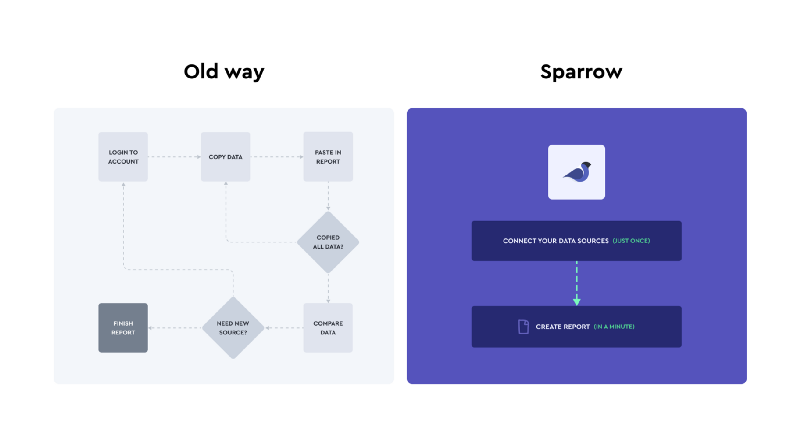
This leads to wasting a lot of time and energy goes for reporting rather than doing the actual marketing. And also there would be chances for human errors because all the process happens manually by hand.
Target audience
Our target users was small to medium size marketing agencies, and freelance digital marketers based in the US, Europe, and also Asia.
Existing Solution
We already had a reporting tool to solve that problem. It was a very basic PDF reporting tool that was available for users with very few template options.
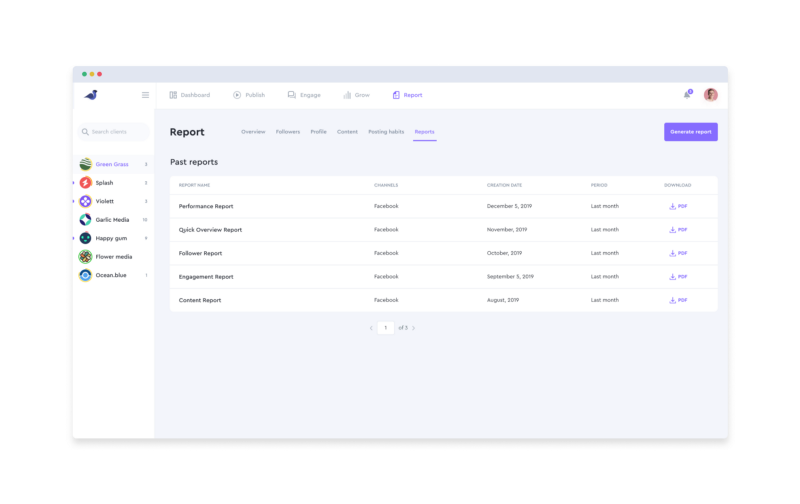
Why existing solution doesn’t work:
- Only one format (PDF)
- Templates weren’t customizable by users (some users needed different metrics/layout)
- Technical effort required (for turning designs into templates, developers needed to code)
- Not scalable (All the templates should’ve been made by our team)
Objectives
- Removing technical effort - template creation flow should be as easy and quick as possible
- Customizable - users should be able to customize their templates, and add/remove metrics or elements
- Scalable - users should be able to make their own templates easily and make them public for others
- Multiple formats - should be possible in different formats
Ideation
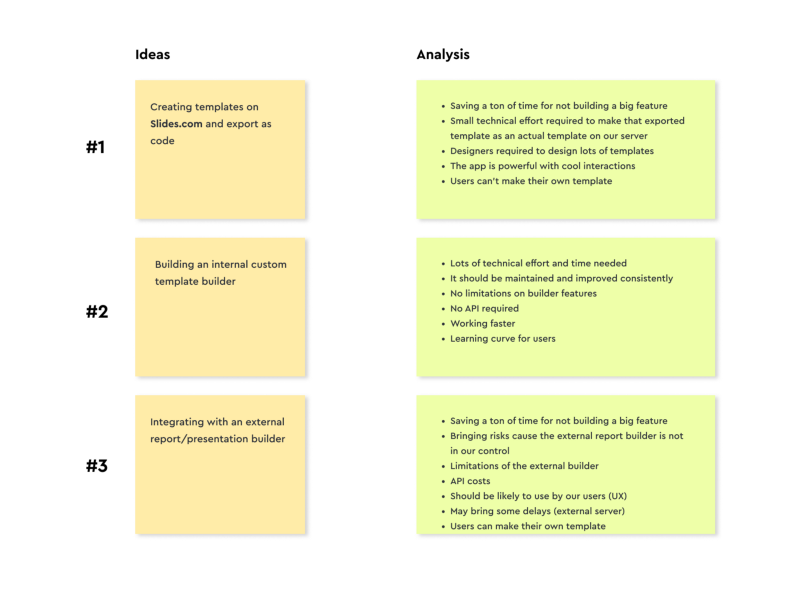
We had a couple of group ideation sessions with the team. During sessions, we tried to focus on what users needed and bring as many ideas as we can to the table. And of course without considering any constraints at first.
Constraints
As Sparrow was in the early stage and the team was so small, there were lots of limitations on budget, time, and technical effort.
So, based on the constraints we had, we needed to go with the easiest idea that brings the most value which of course is scalable.
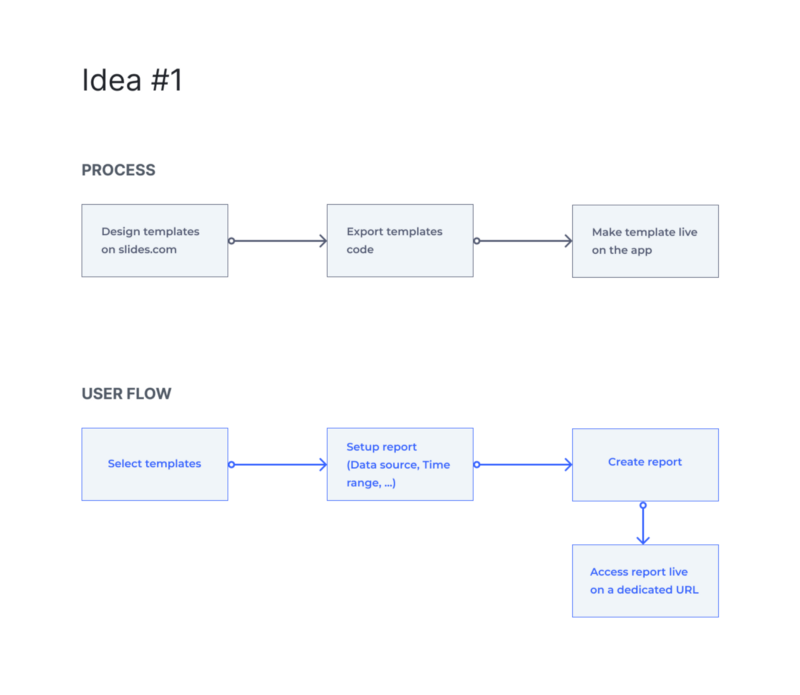
Idea #1 — (Create templates by slides.com)
We didn’t have enough time and engineering resources to build out our template builder tool (Idea #2) or integrating with multiple external tools (Idea #3).
So, we decided to go with the first idea (Using slides.com as a template builder) which wasn’t the best but the easiest and could bring us a quick win.
Pros
- Technical effort scaled down to its minimum
- Speeding up template creation flow
- Allowing users to design their own templates (creation should be done by us)
- Templates, reports, and data are on our own server so we can make sure the data sync works well
- No need for an internal template builder
Cons
- Still, a bit of technical effort is required for every template creation
- Templates can’t be made by users end to end
- Templates can’t be edited by users
- Relying on an external product may bring some risks
As we were in the middle of the process of implementation we discovered a great opportunity in being able to integrate with Google products (Slides, Sheets) and use it as a template editor/builder.
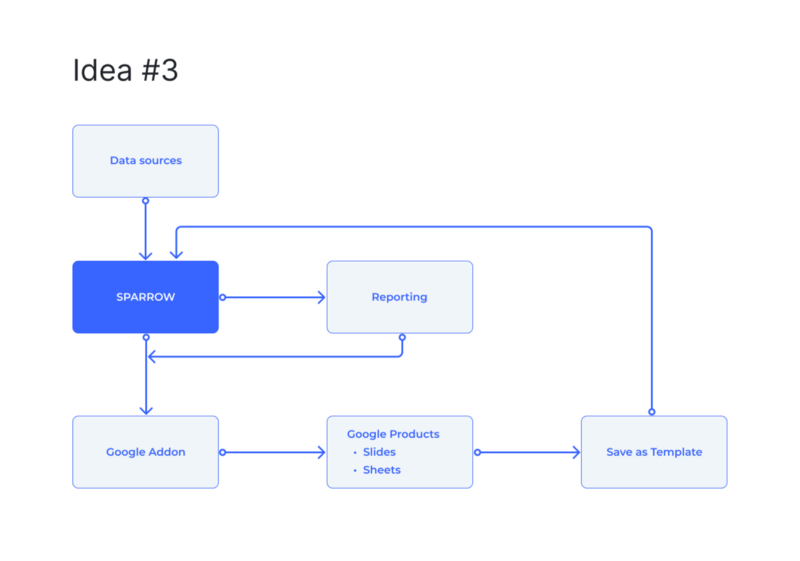
Idea #3 — (Google Add-on)
When we were thinking of Idea #3 (Integrating with an external builder) - one of the most challenging questions was “Which platform is the best option for our use case?”.
We had a list of products to be reviewed to see if it’s going to be a great match for us. One of them came out with a great opportunity that matches our objectives.
By digging in, we learned that we can leverage the google add-on to let users access their sources’ data directly from their own docs. So that made reporting feasible with Google products (Slides, Sheets).
Why did we skip the first idea (slide.com) over the Google add-on idea?
The most important issues with the first idea were “Not being scalable” and “No template customization” and also “No template creation end to end for users”
In addition to all of these issues being solved by the Google add-on — Google products have great UX and work like an everyday products for users.
Pros
- No technical effort is required for template creation (end to end)
- Users can edit their templates/reports (in Slides, Sheets)
- Users can create their own templates easily
- Most likely users won’t have a problem using the editor (since they’ve been using Slide, and Sheets before)
- Users can see and insert data (metrics, charts, post screenshots, …) from their sources directly into their docs
Cons
- We needed to design and develop a Google Add-on (one-time technical effort)
- Users need to install the Sparrow Google add-on to be able to create templates or see the latest synced data
- The learning curve for using the add-on
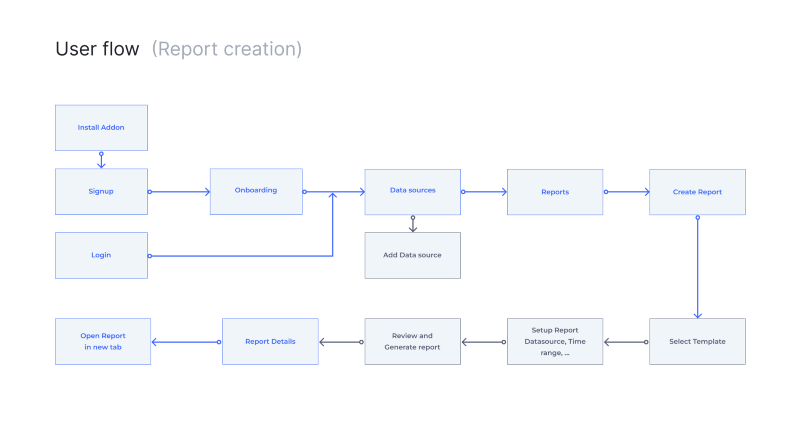
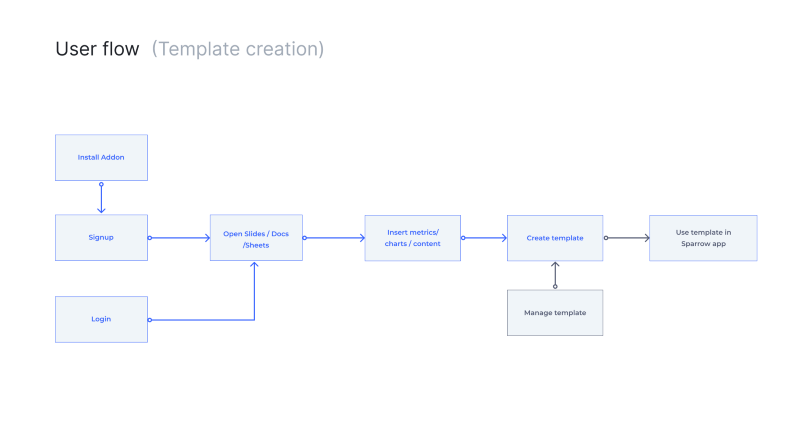
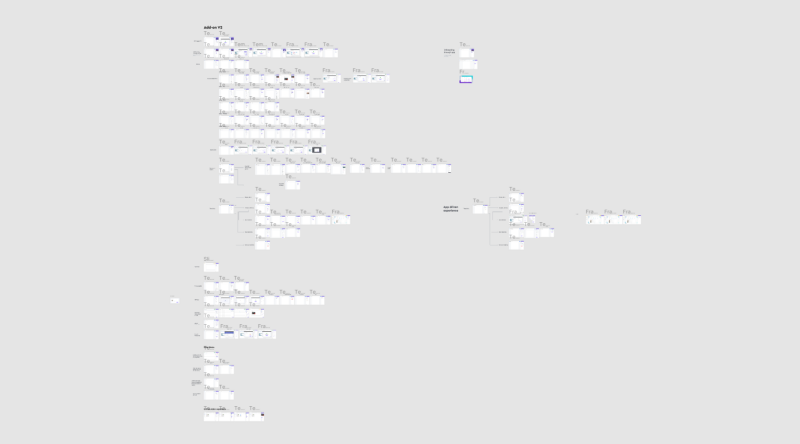
User flow
Wireframing and Testing
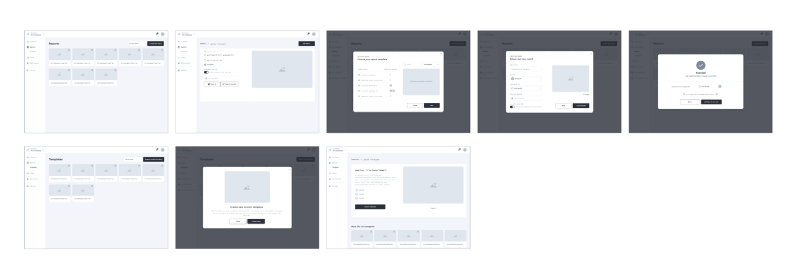
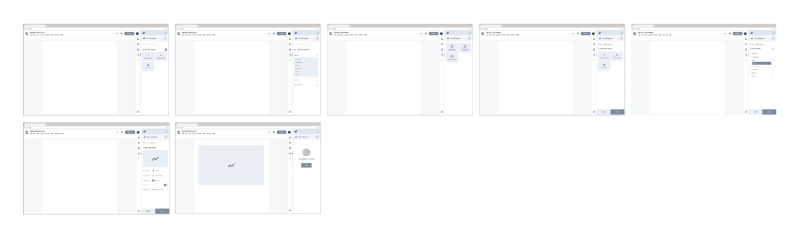
First I came up with very quick wireframes to have a clearer path on how we will implement the idea. After a group session with the team, I got some feedback on the product side and also technical constraints.
Then I finished the first iteration of wireframes to be ready for some testing.
Design Critic
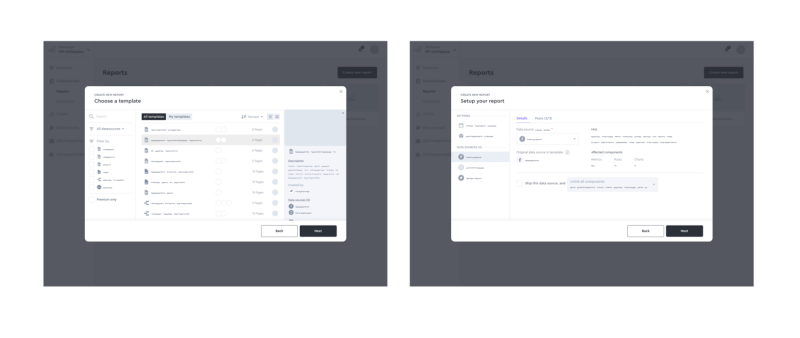
- Report setup needs a more advanced flow to unlock more options since so many template use cases will be available
- There should be a way for template creators to define some context about the template use case and how the content should be auto-filled in reporting
- Where report should be saved (since it’ll be Slides/Sheets Sparrow needs to access users’ G-Drive for saving reports)
Second round of wireframing
Based on the feedback, I designed the second round of wireframes. Each step made our path clearer to the final feature.
Final Prototype
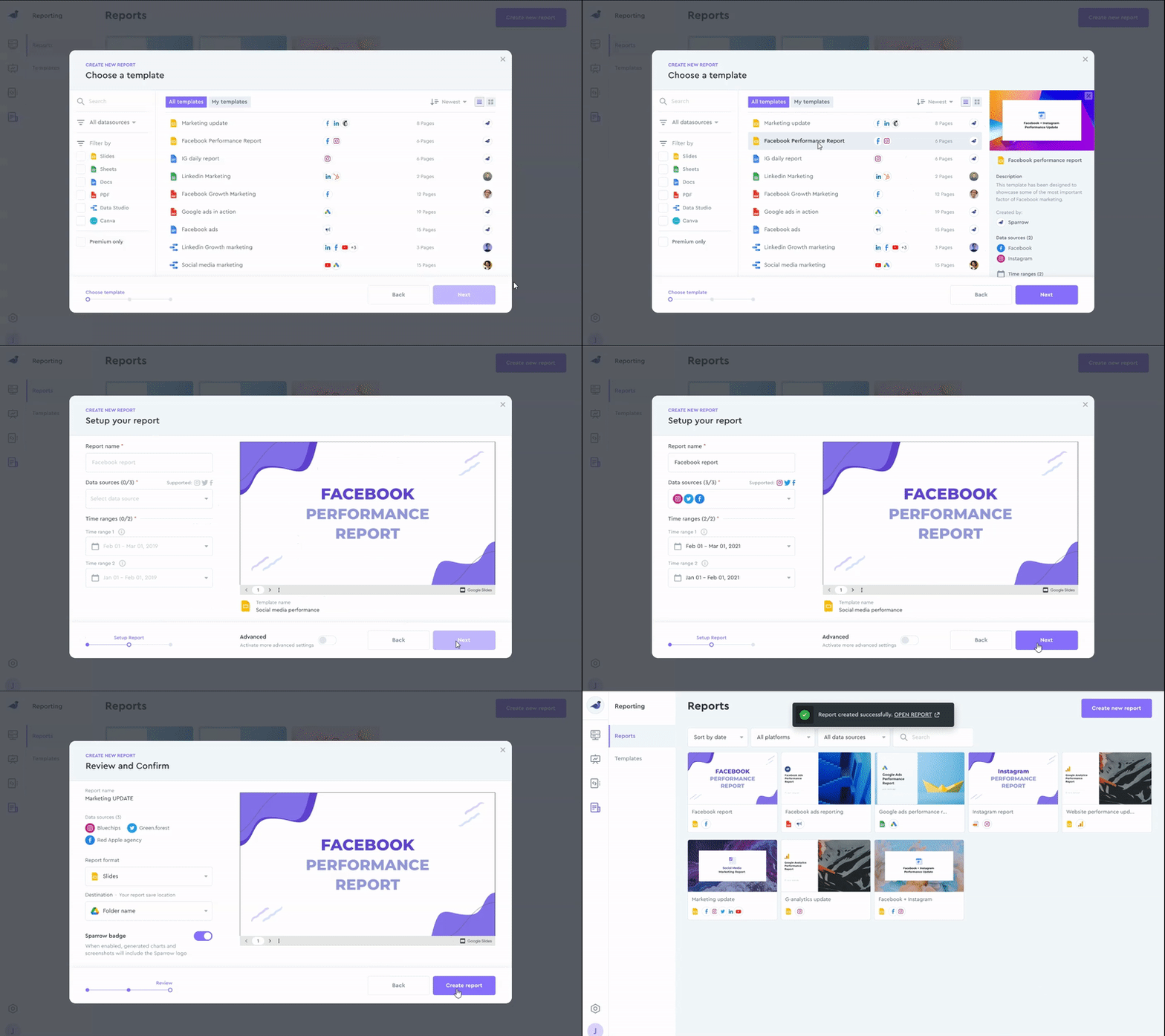
While I was working on the visual design I constantly keep presenting the progress to the team to use their ideas and critics.
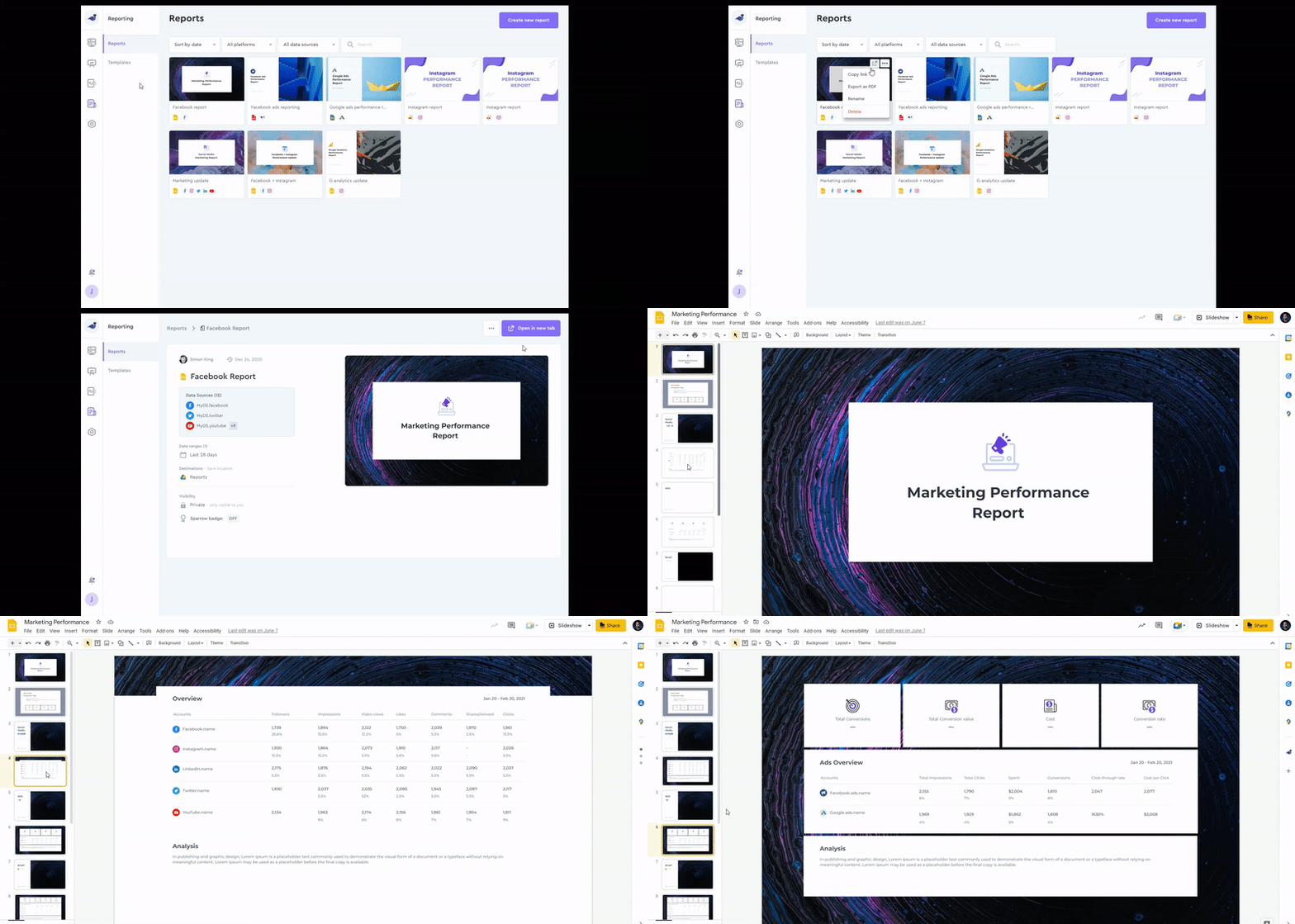
Report generation
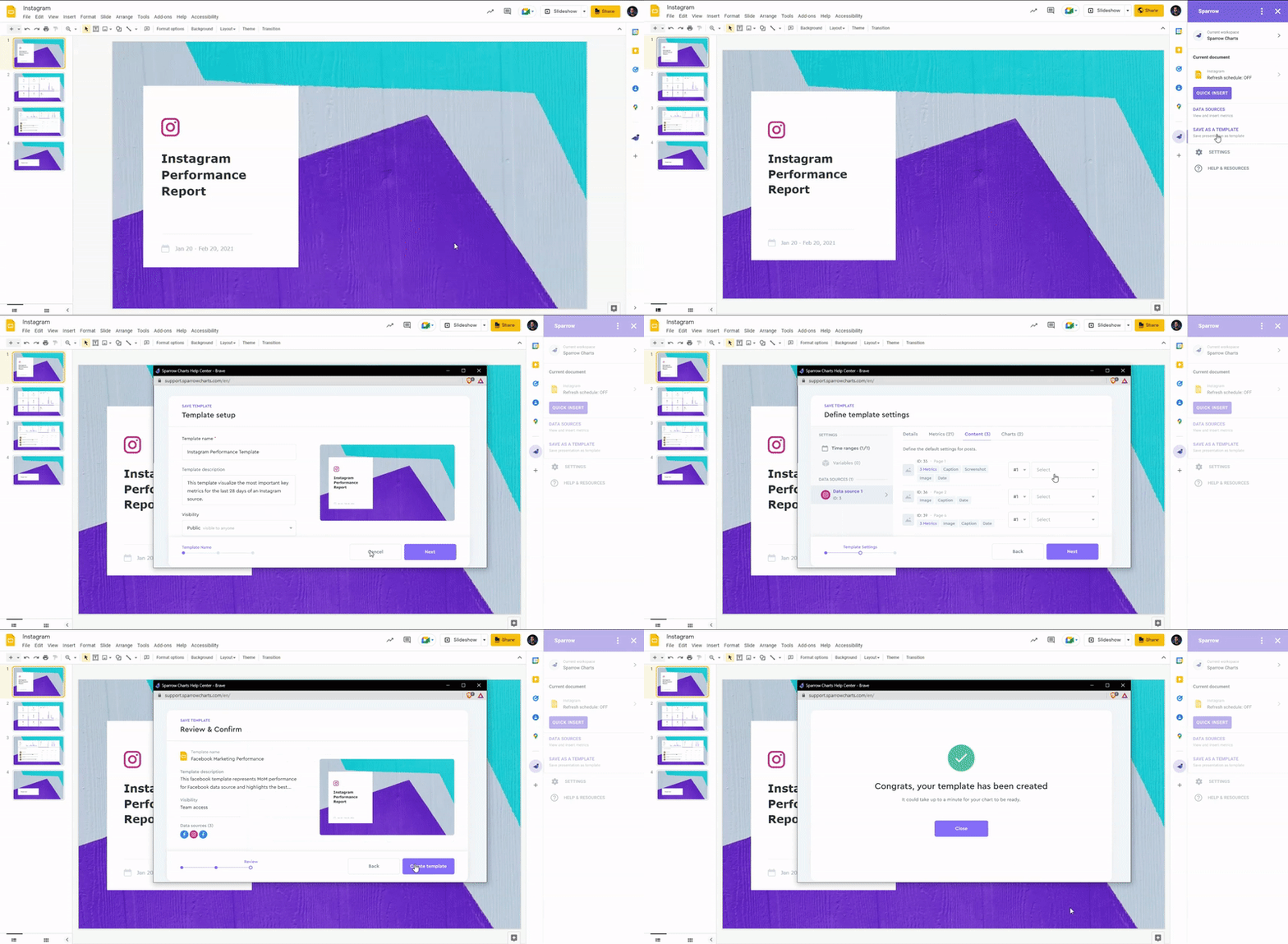
Template Creation
Users should have Sparrow G-add-on installed and by using that they can create their own template.
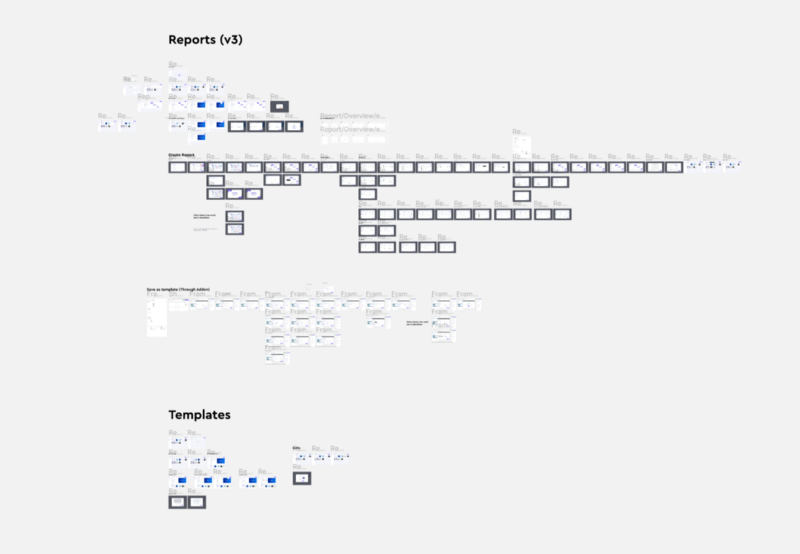
User Testing
To evaluate the design decisions, when the final prototype got ready, we conducted some usability testing with teammates. Also, released the tool for our beta testers to receive more insightful feedback from them.
We got lots of feedback and ideas from the test and user observation through FullStory.
Things to improve
- Reports empty state can be more engaging and educational while driving users toward the goal
- There should be helpful content for users creating a report from a template that has multiple time ranges
- Considering a state for when users’ sources don’t have enough content for reports to be filled
- Users should be able to manually select their content in reporting
- Some identified technical bugs which should be solved with engineering
Results
The Google add-on idea was a real game-changer for Sparrow. After implementing it, In addition to building a more convenient and scalable reporting tool, Sparrow could acquire more than 1,500 new users merely from the Google marketplace.
Also, we got a lot of exciting feedback from users who loved the add-on.
Learnings
Share early with engineers
During working on this project, there were some ideas that were feasible but cause of the constraints we had we couldn’t proceed with them. So, if I had shared those ideas with engineers earlier we could’ve prevented wasting some time.
User observation uncovers untold stories
During user testing, when I was observing beta users testing the reporting tool and using it, I noticed some interesting use cases that we hadn’t noticed before. So, I realized doesn't matter how many times I or my teammates test an idea cause we’re not the user, and insightful feedback always come from real users.
Thanks for reading :)